Open
SpongeSue Creative Style Studio
Game

SpongeSue Creative Style Studio

Creative
Developer: Jade Pixel Studio
Published: 2024-07-06
Updated: 2026-07-04

Runs in your browser — no download required.

What players say

SpongeSue Creative Style Studio offers a delightful and easy-to-use dress-up experience for all ages. With clear step-by-step pages for face, hair, outfit, and accessories, players can create countless unique looks. The family-friendly content and simple click-and-select controls make it perfect for children and anyone who enjoys creative customization.

About this game

Game Introduction

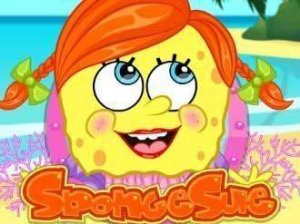
Welcome to Bikini Bottom, where a new resident named SpongeSue has arrived. Everyone is eager to meet her, and she needs your help to look her best for a special introduction to SpongeBob. This creative dress-up game lets you customize SpongeSue from head to toe. Start by selecting her facial features, then style her hair, choose a colorful outfit, and add accessories. The goal is to help her make a perfect first impression. The game is easy to play and offers many creative choices, making it suitable for players of all ages who enjoy fashion and character design.

How to Play

Begin by choosing SpongeSue's facial features. Pick from different eye shapes, eyebrows, noses, and smiles to create a charming face. When you are happy with the face, move to the next page to style her hair. Select the bangs, back, and a new hair color. Then open her wardrobe and dress her in a candy-colored two-piece or a girly dress. Finish the look by adding accessories like jewelry or a bag. Use the click-and-select controls to make each choice. The game has clear pages for each step, making it simple to follow.

Game Features

Creative makeover with face, hair, outfit, and accessory customization. Easy click-and-select controls. Family-friendly content suitable for all ages. Multiple options for each styling category.

Tips for Success

Experiment with different combinations to discover unique looks. Take your time exploring all the options in each category before moving to the next step. Mixing and matching accessories can create a standout appearance. Have fun and let your creativity guide you.


Compatibility

• OS: Windows 10+, macOS 11+, iOS 14+, Android 10+
• Browsers: Chrome 100+, Safari 15+, Edge 100+, Firefox 100+
• Not compatible with Internet Explorer
Tested on real devices ✅ works as expected
FAQ
Is SpongeSue Creative Style Studio free to play?
Yes, the game is free to play online. There are no hidden charges or in-app purchases required to access all the customization options. You can enjoy the full makeover experience without any cost.
Can I save or share my SpongeSue creations?
The game may allow you to save your final look or share it with friends, depending on the platform. Check the in-game options after completing the makeover to see if screenshot or share features are available.
What age group is this game designed for?
This game is designed for all ages, especially children and families who enjoy creative dress-up activities. The content is wholesome and free from any mature themes, making it suitable for young players.
Do I need to download anything to play?
No download is necessary. The game runs directly in your web browser. You just need a stable internet connection and a device with a mouse or touchscreen to start customizing SpongeSue right away.
How many outfit choices are available in the wardrobe?
The wardrobe includes a variety of options, such as a candy-colored two-piece and a girly dress, plus several accessory choices. The exact number may vary, but there are enough combinations to create many different looks.
Is there a time limit or scoring in the game?
No, there is no time limit or scoring. You can take as long as you like to explore each styling category and experiment with different combinations. The focus is on creativity and fun, not competition.
Advertisement

Games You Might Enjoy