What players say
One Line Only turns a familiar activity into a rewarding logic puzzle. The gradual difficulty curve ensures you learn the mechanics before facing harder challenges. Each level feels like a small victory, and the lack of timers or penalties reduces stress. Replay value comes from mastering earlier puzzles faster or finding alternative paths. It is an excellent tool for improving spatial awareness and patience in a calm setting.
About this game
Game Introduction
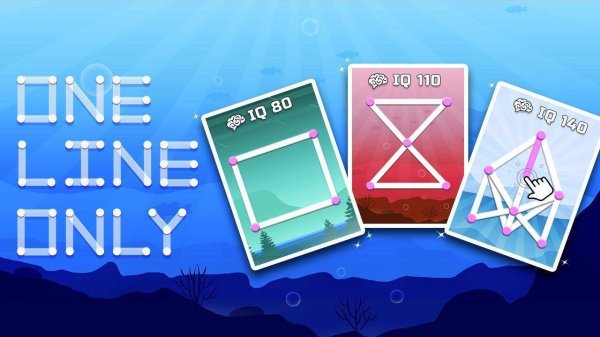
One Line Only: Dot to Dot Puzzle Game is a logic puzzle that challenges players to connect numbered dots in a single continuous line. The core objective is to link all dots without lifting your finger or retracing any path. This minimalist puzzle game emphasizes spatial reasoning and careful planning, offering a calm yet engaging experience suitable for quick breaks or extended play sessions. The game is family-friendly and designed for all ages, providing daily brain training without pressure or time limits.
How to Play
Players typically start by tapping the first dot to begin their line. Then, they drag their finger to the next dot in sequence or logical order, with the line following their movement. The goal is to connect all dots without stopping or retracing. If a mistake is made, an undo button allows players to step back. As levels progress, more dots and intricate patterns appear, requiring strategic thinking before beginning the stroke.
Game Features
The game features progressive difficulty, starting with simple shapes and advancing to complex arrangements. The interface is clean and intuitive, focusing on the puzzle itself. Each level can be completed with one uninterrupted line. An undo functionality helps correct errors. The game is suitable for all ages and offers a relaxing, pressure-free experience that encourages logical thinking and concentration.
Tips for Success
Plan your path before you start drawing. Look at the entire grid of dots and visualize the most efficient route that connects all dots without backtracking. Practice regularly to improve your spatial reasoning and pattern recognition. If you get stuck, use the undo button to experiment with different approaches. Patience is key—take your time to analyze the layout before making your first move.
Compatibility:
✅ Works on PC & Mobile | Recommended: Chrome / Safari / Edge